
One of the more rewarding things we do at PPC Samurai is offer a pro-bono service to manage the campaigns of some amazing charity organizations. Google offers a very generous scheme that allows these non-profit organizations to access $10,000 USD per month of advertising spend. This allows these organizations to target donations or raise awareness, expanding their reach to a much greater audience.
Apart from meeting certain eligibility criteria, the grants have a few conditions on how your campaigns need to be run, including which search keywords you can bid on, including:
Making sure you stay in compliance with these conditions can be an onerous and time-consuming task, but fortunately, it’s one of the things that PPC Samurai excels at! We are going to demonstrate how to build a simple workflows that checks one of these conditions and automatically pauses the keywords if we detect that it isn’t met.
PPC Samurai allows you to iterate over elements of your managed Google Ads accounts and perform various actions. You can run workflows at an Account, Campaign, Budget, Ad Group, Ad or Search Query level. You can even run workflows across multiple accounts using selective criteria.
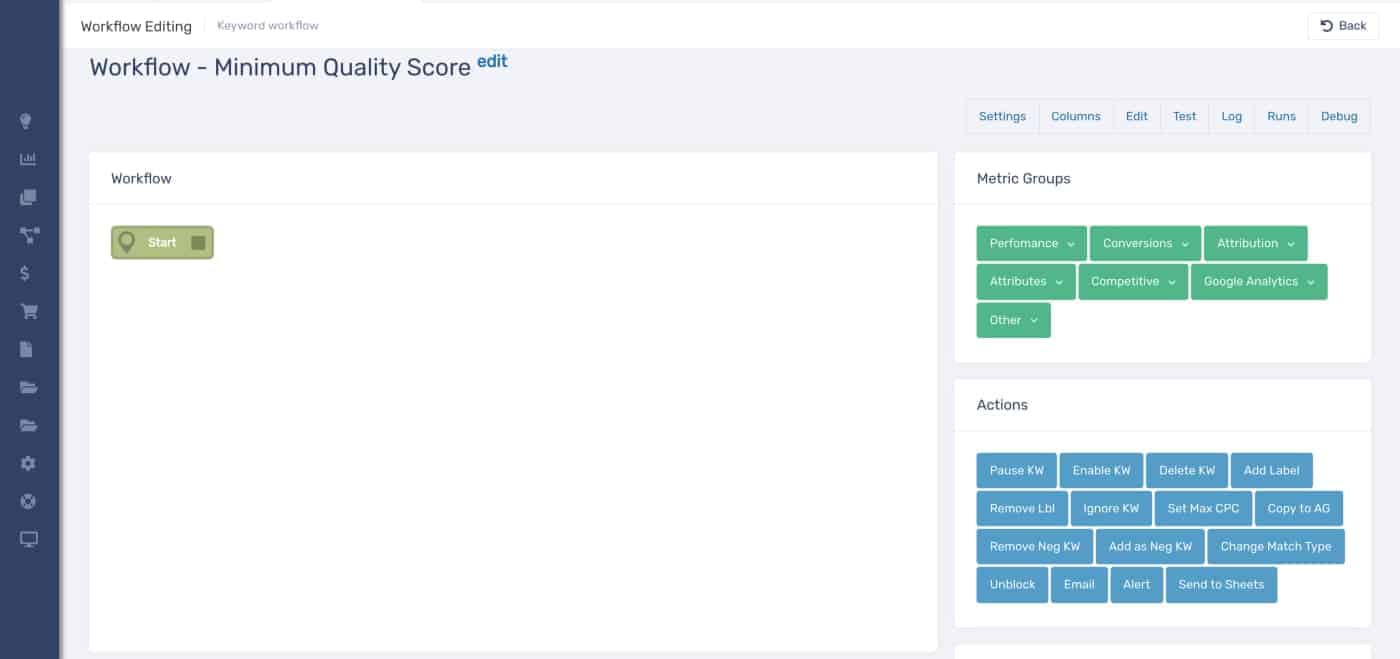
We are going to enforce this condition by creating a Keyword workflow called “Minimum Quality Score” in PPC Samurai.
Keyword workflows can be configured for specific campaigns and ad groups and you can set options on whether they are automatically added when new campaigns are created.
We build the workflow using a graphical editor by connecting conditions and filters together till we arrive at one or more actions.
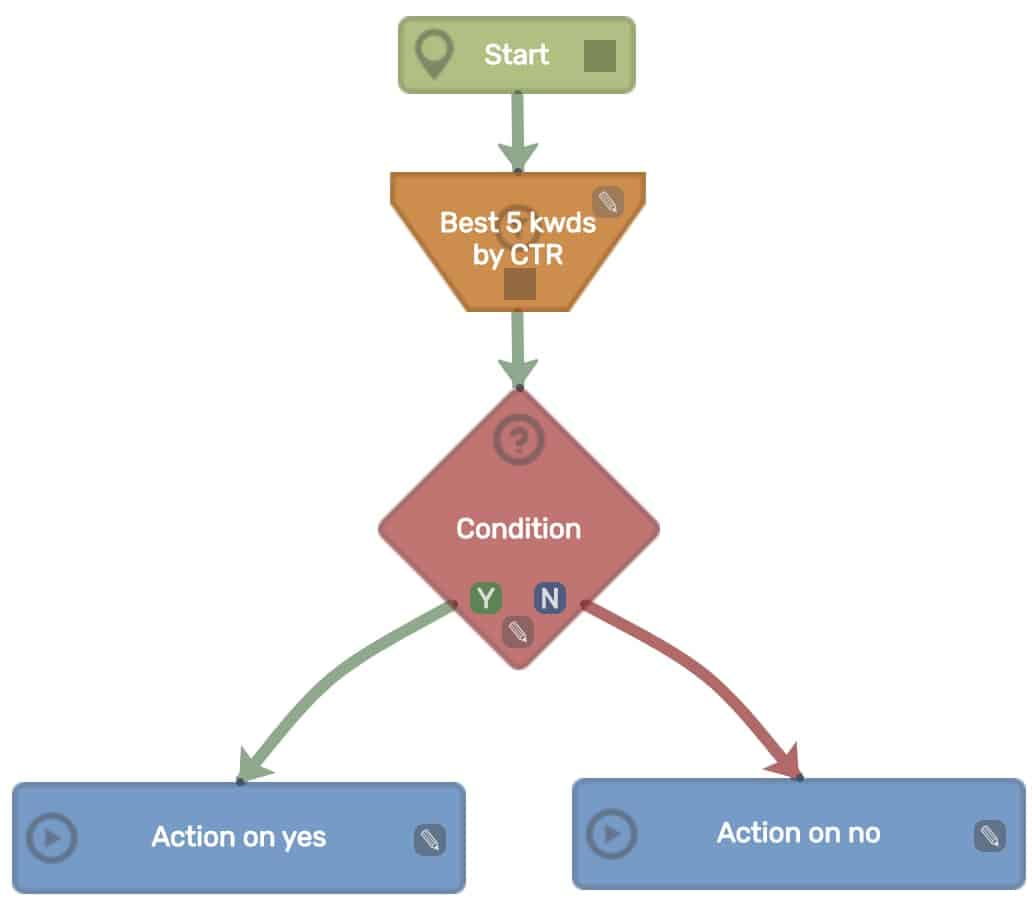
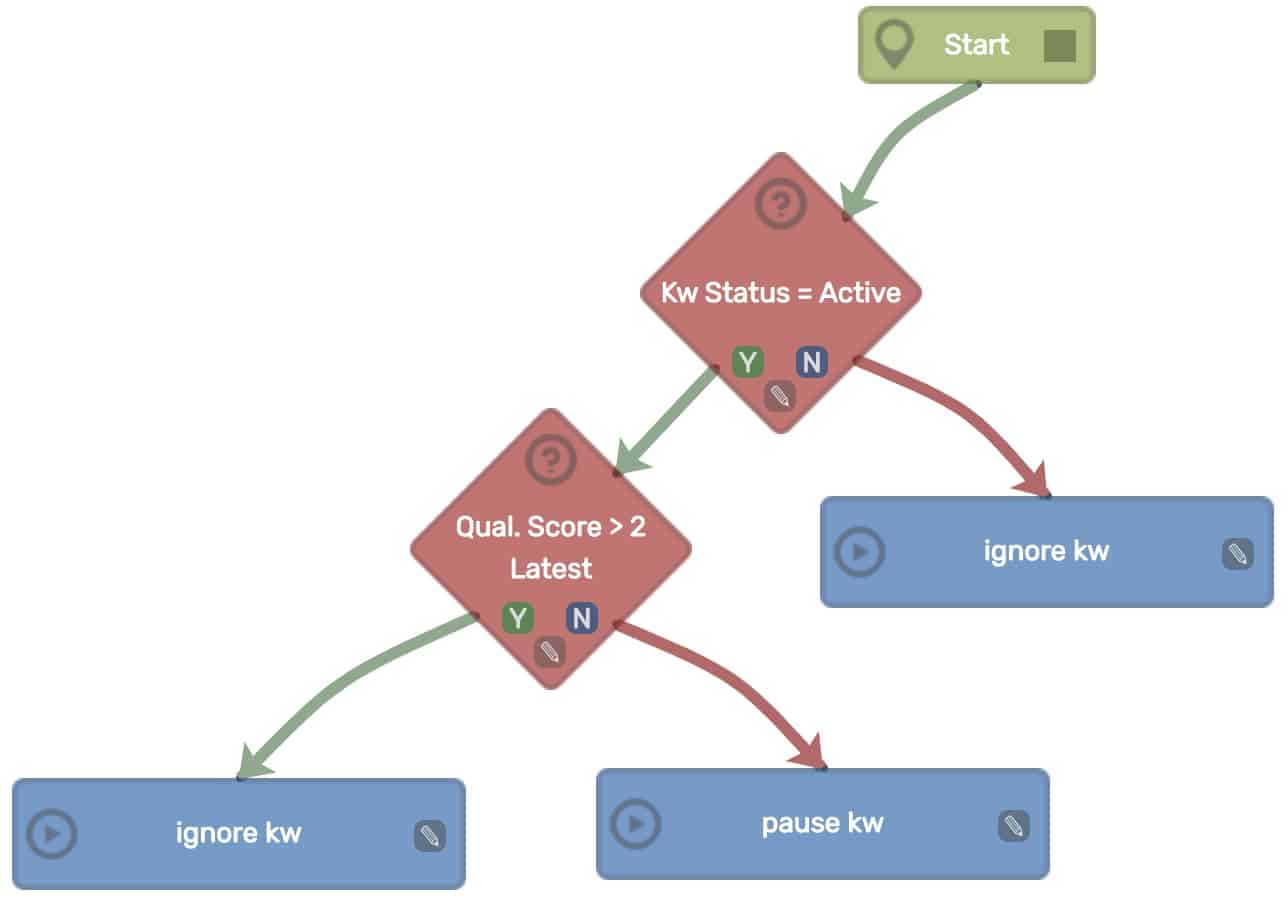
For our keyword workflow, we first want to make sure we only check active keywords, otherwise, we will be unnecessarily applying subsequent rules to Keywords that may have been paused, disapproved or even deleted.
If we select Other > Kw Status to check that the Keyword is active (linking this to the Start node) and then Ignore KW and link this to the N branch of the Kw Status condition we will get the following workflow.
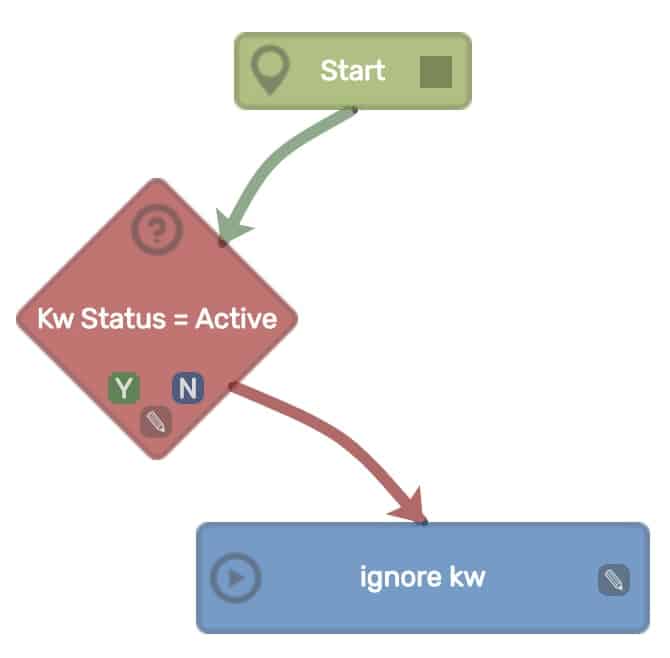
You can then Preview this workflow and it will show you any Inactive keywords that will be ignored.
So we have built our first workflow! This structure is a good basic building block for any Keyword workflows that require active keywords.
Next we want to check Keywords that have a Quality Score of 1 or 2. To do this we select Attributes > Qual. Score and then set the condition to true if the Quality score is > than 2.
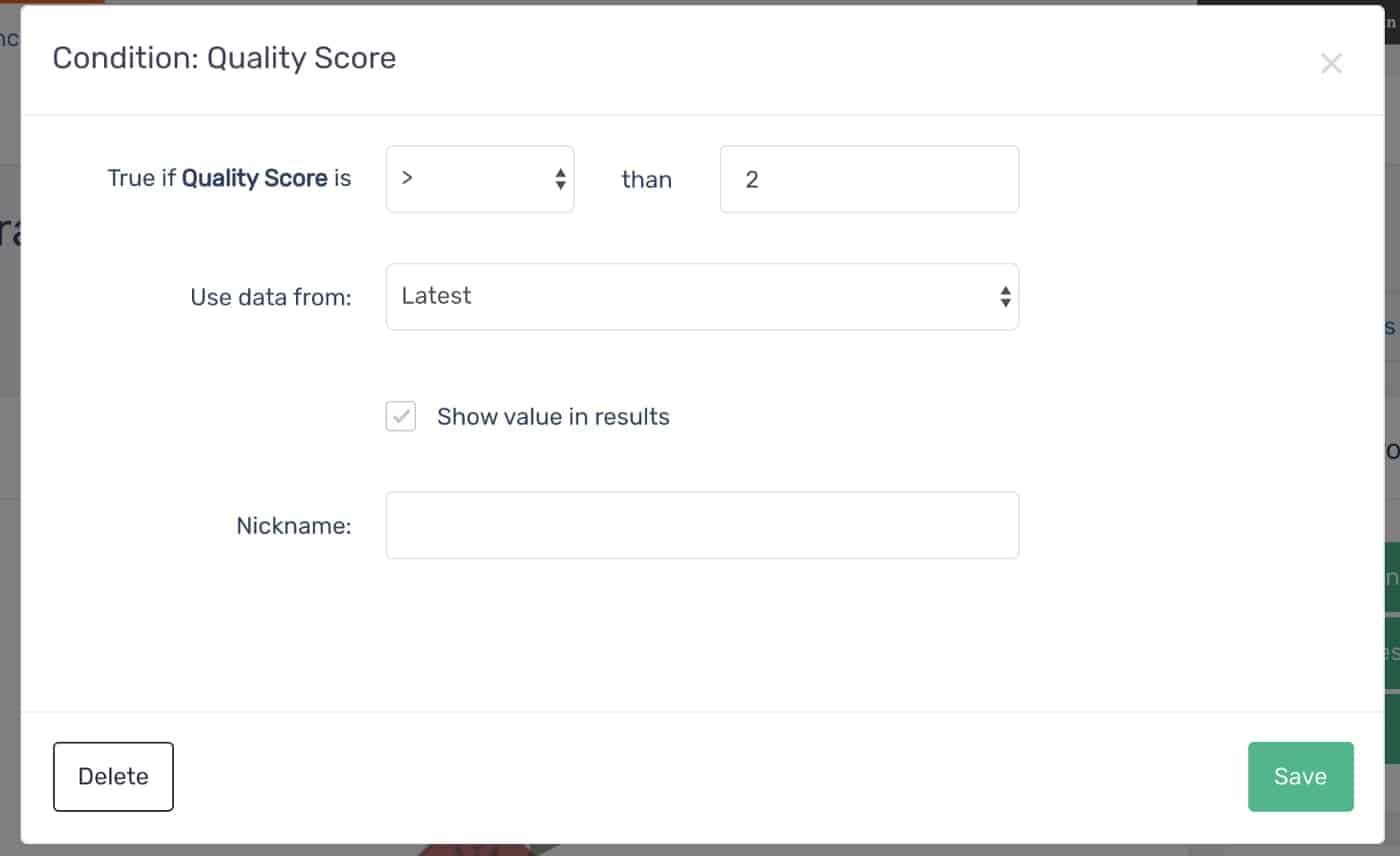
Link this up to the Y branch of the Kw Status = Active condition to have it process on active keywords. Next, we need to decide what to do in the true/false case of this condition.
If Quality Score is > 2 then our Keyword is okay and we ignore it. However, if the Quality Score is 1 or 2 then we want to pause the Keyword. When we pause the Keyword we can also add a label that will appear in the Google Ads console to explain why the Keyword is paused:
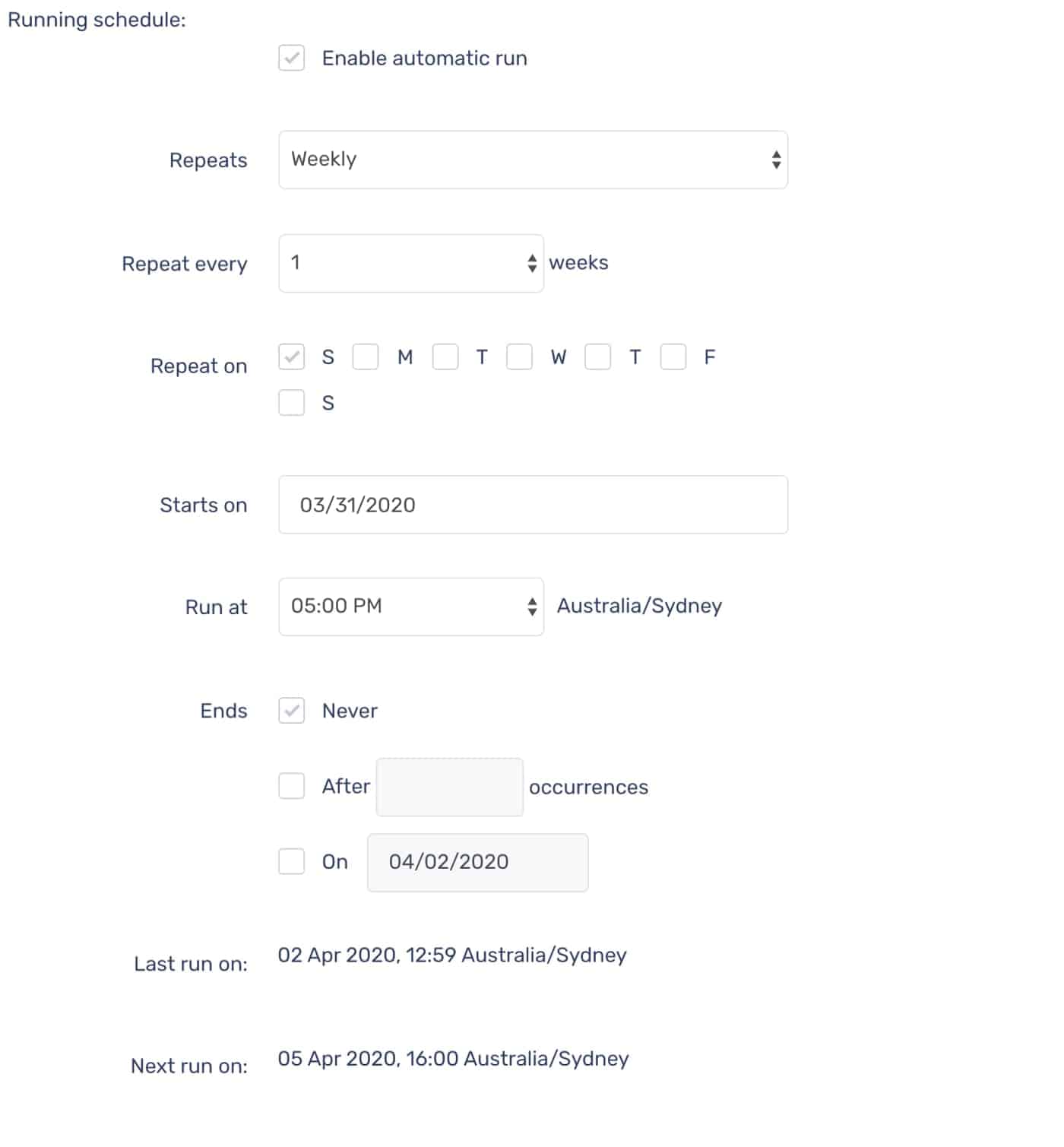
Now we want to set up our workflow to run on our schedule.
We can pick from a range of options, but usually you will want to run daily or weekly and repeat over a certain period.
We are going to set this schedule to run every Sunday at 5pm.
And that’s all there is to it.
Building additional workflows to enforce the other rules is a relatively simple process. You can duplicate this workflow with the same settings and then modify it to add additional conditions.
In addition, we can build workflows at the Account level such as the ability to check our Click-through-rate (CTR) is above 5%. That looks something like this:
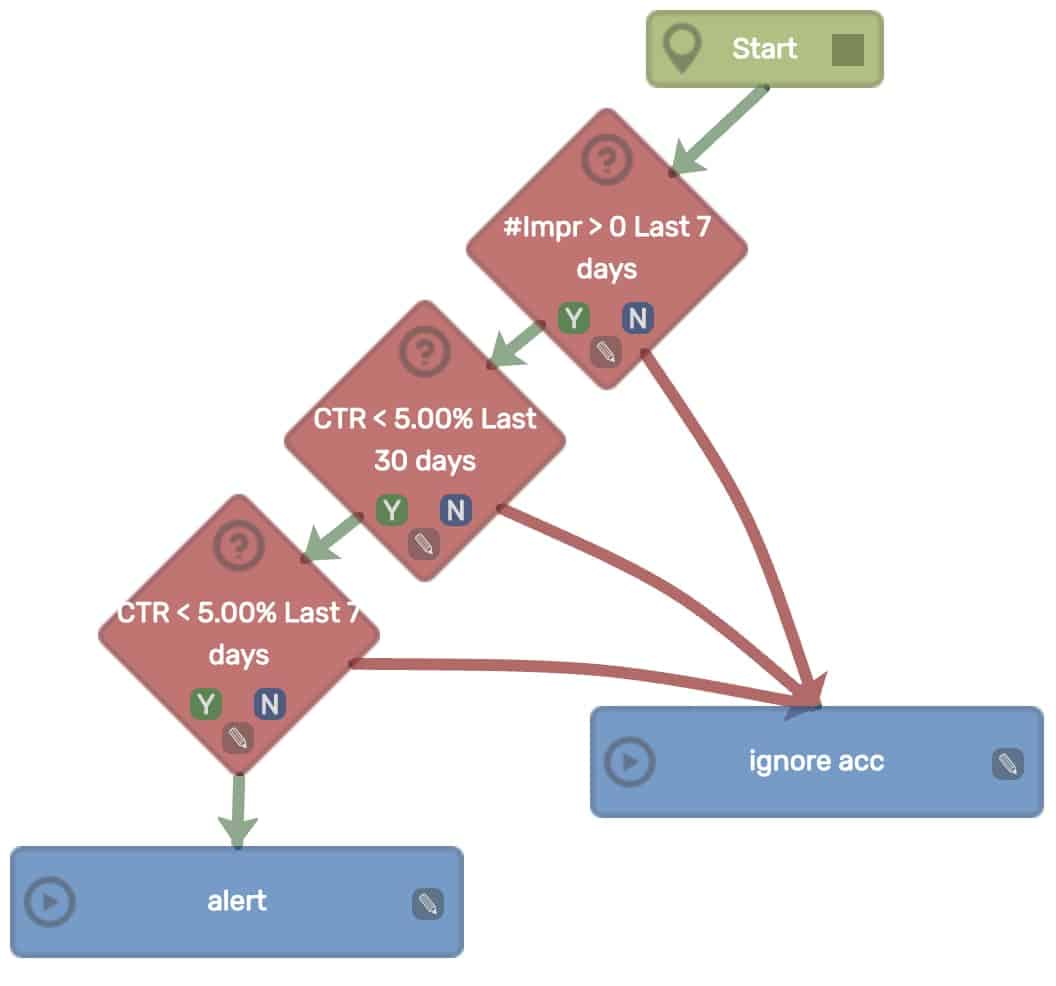
Alerts are visible in the Action Center. It is also possible to create an action that will email you instead.
One of the challenges of running a digital agency is keeping on top of the constant small jobs that are needed to optimize a customer’s accounts. Using PPC Samurai allows us to automate many small and complex tasks enabling us to be very efficient in how we use our time. By leveraging this capability we can provide a high value to customers for the time we have.
PPC Samurai is a powerful tool with a range of capabilities and this is just the tip of the iceberg. If you are interested in learning more, why not book a demo or sign-up for our 30-day free trial.


